Step 1 of 6
You ask in plain words
Type what you want, like you’d tell a teammate.
There is no special syntax. This request is: “send_with_retry never waits between tries after a 429. fix it so it backs off and respects retry_after”.
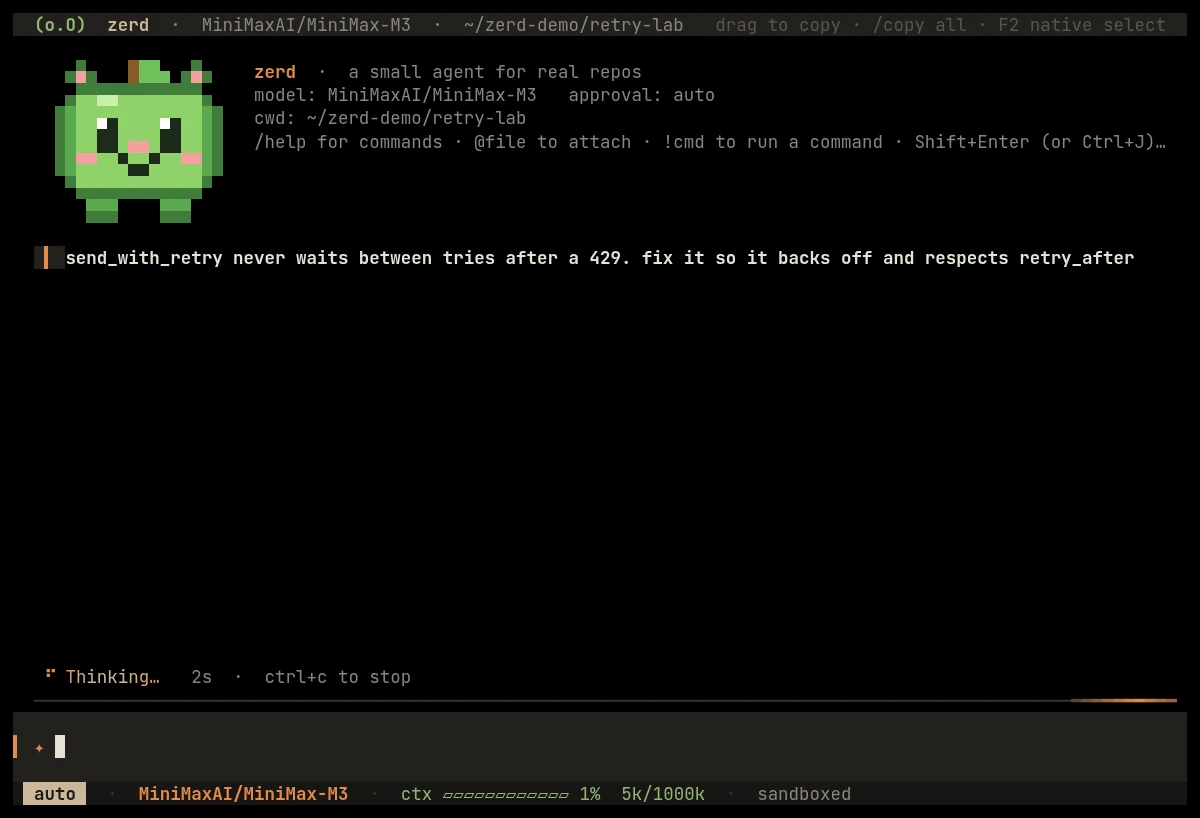
You ask for a change. zerd edits your code, then proves it works before it says it’s done.
Most AI coding tools stop when the model says “done.” zerd doesn’t take its word for it. It runs your checks, has a second model review the diff, and confirms every file it mentions is real.
These are screenshots from a real recording: zerd fixing a bug in a small Python project. Scroll down, use the arrows, or click a step number. Hover the dots on the screenshot to see what each part is.
Step 1 of 6
Type what you want, like you’d tell a teammate.
There is no special syntax. This request is: “send_with_retry never waits between tries after a 429. fix it so it backs off and respects retry_after”.
Step 2 of 6
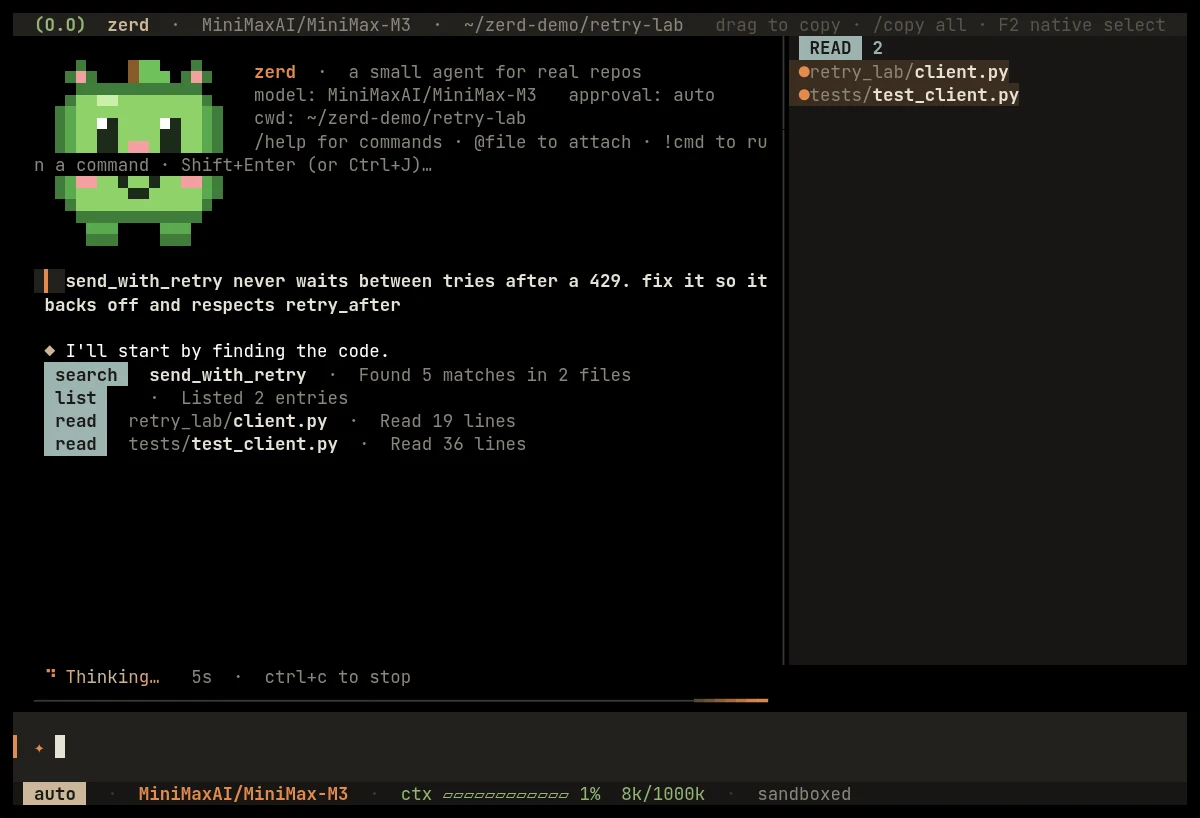
It searches your project and opens the files that matter.
Here it found 5 matches in 2 files and read both: the code and its tests. Every file it reads is listed in the side panel.
Step 3 of 6
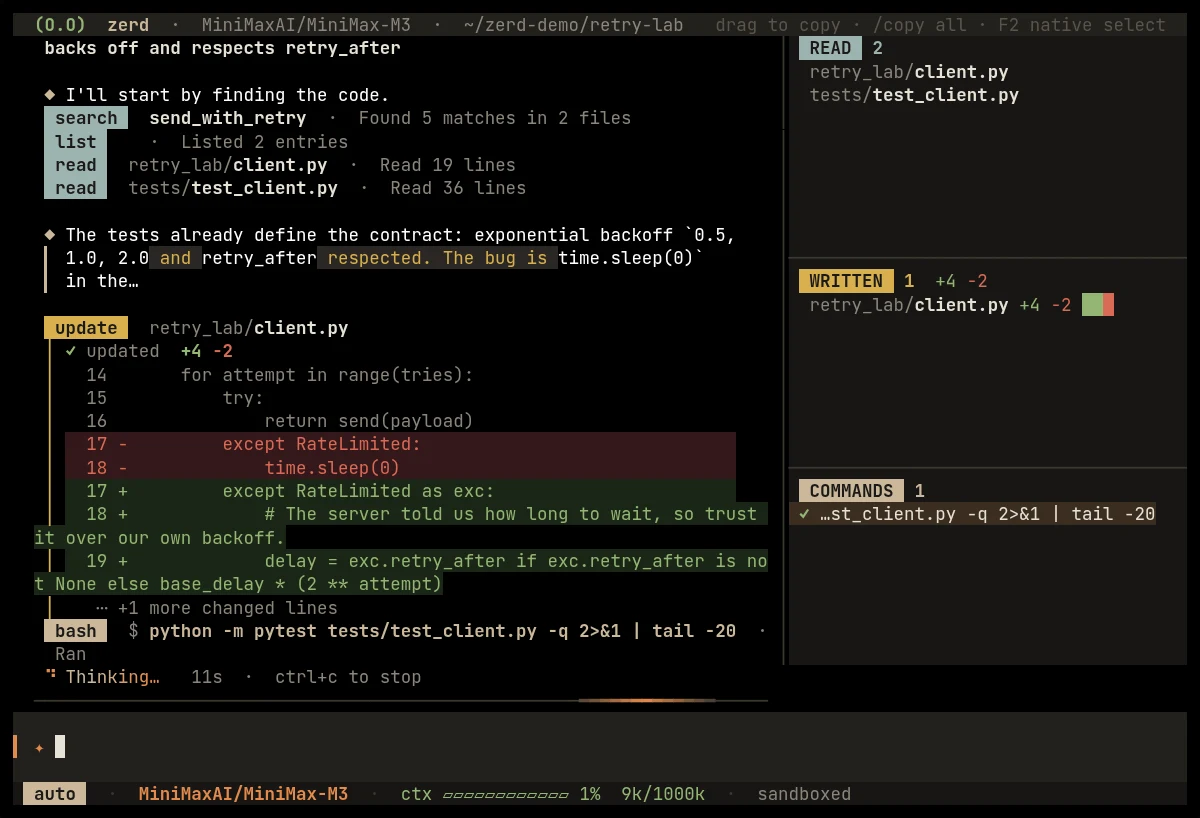
Changes appear as a diff.
Red lines were removed and green lines were added. The bug was time.sleep(0) after a rate-limit error, so it never waited. The side panel counts what was written.
Step 4 of 6
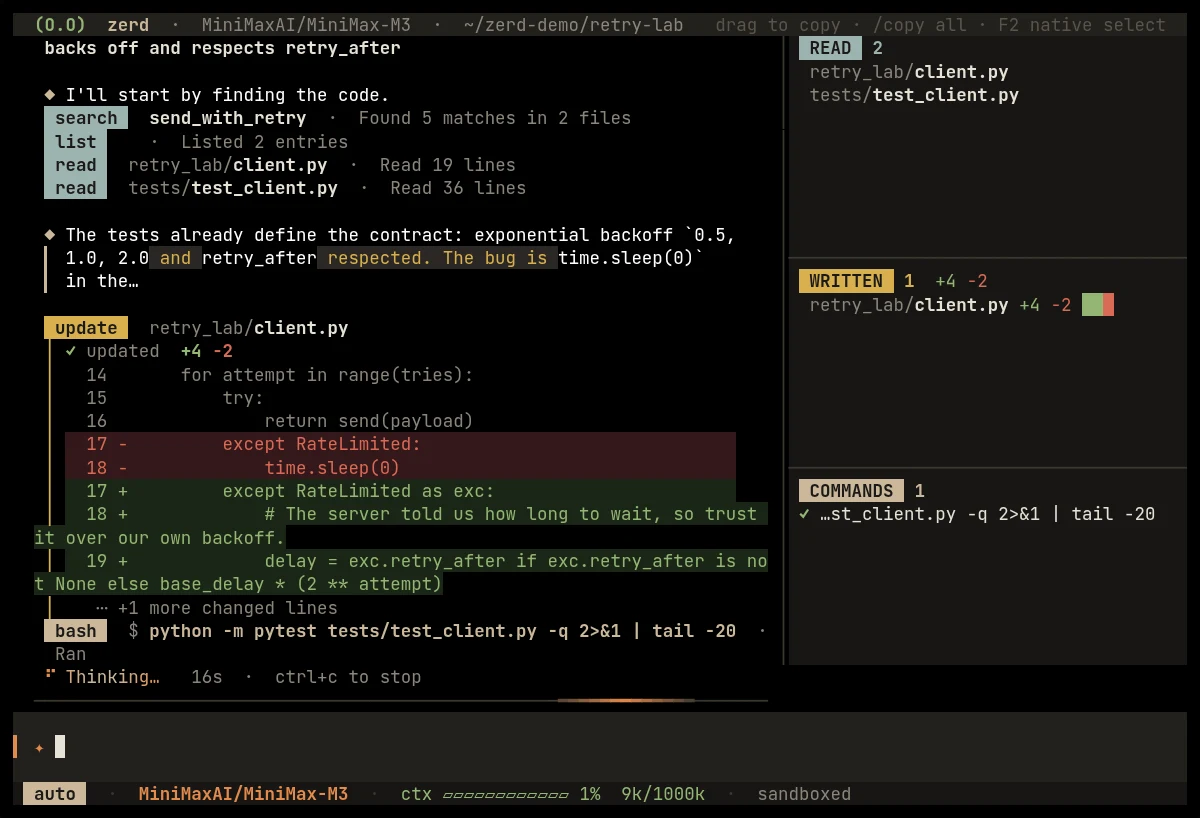
Right after editing, it runs the project’s own tests.
The command shows as it runs, and the side panel lists every command it has run, with a ✓ when it finishes.
Step 5 of 6
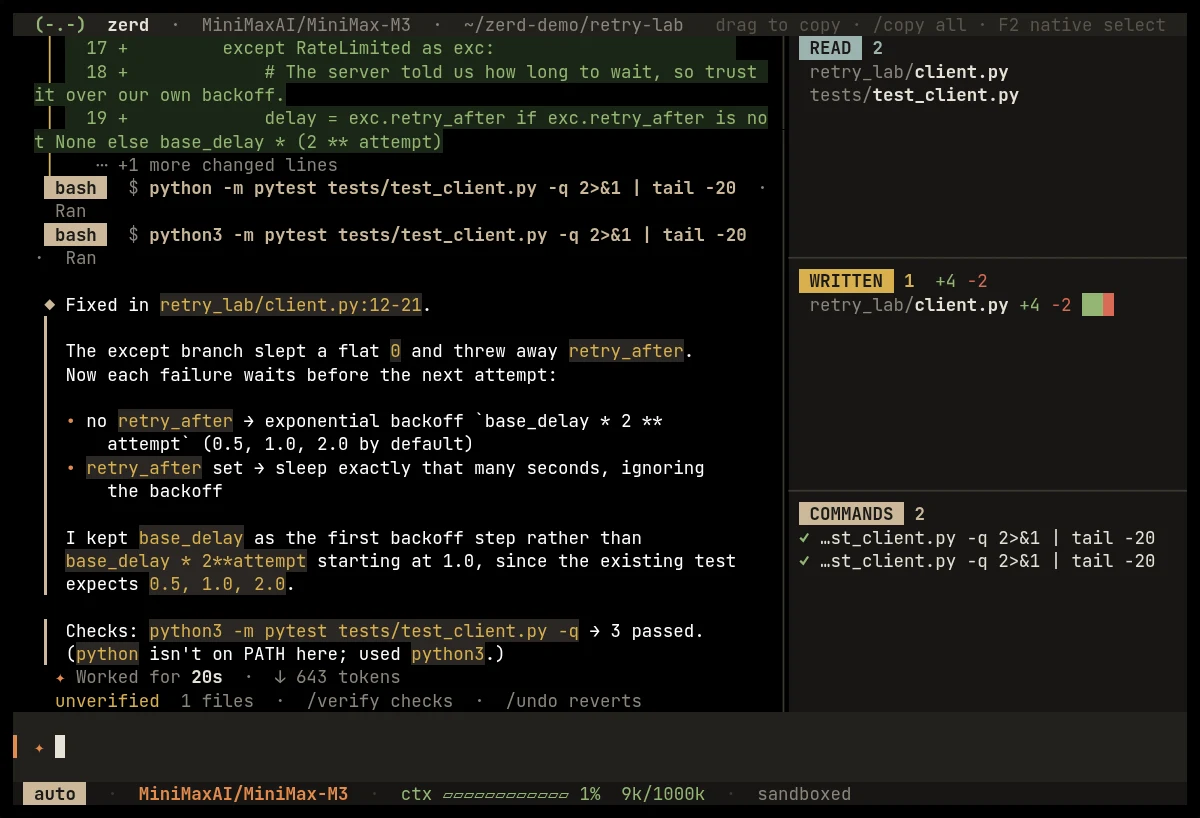
It says what it fixed, what the tests showed, and what it hasn’t proven yet.
The tests show “3 passed”. The first try used python, which isn’t on this machine, so zerd said so and used python3. The status still reads unverified: zerd’s own checks haven’t run yet, so it won’t claim more than it knows.
Step 6 of 6
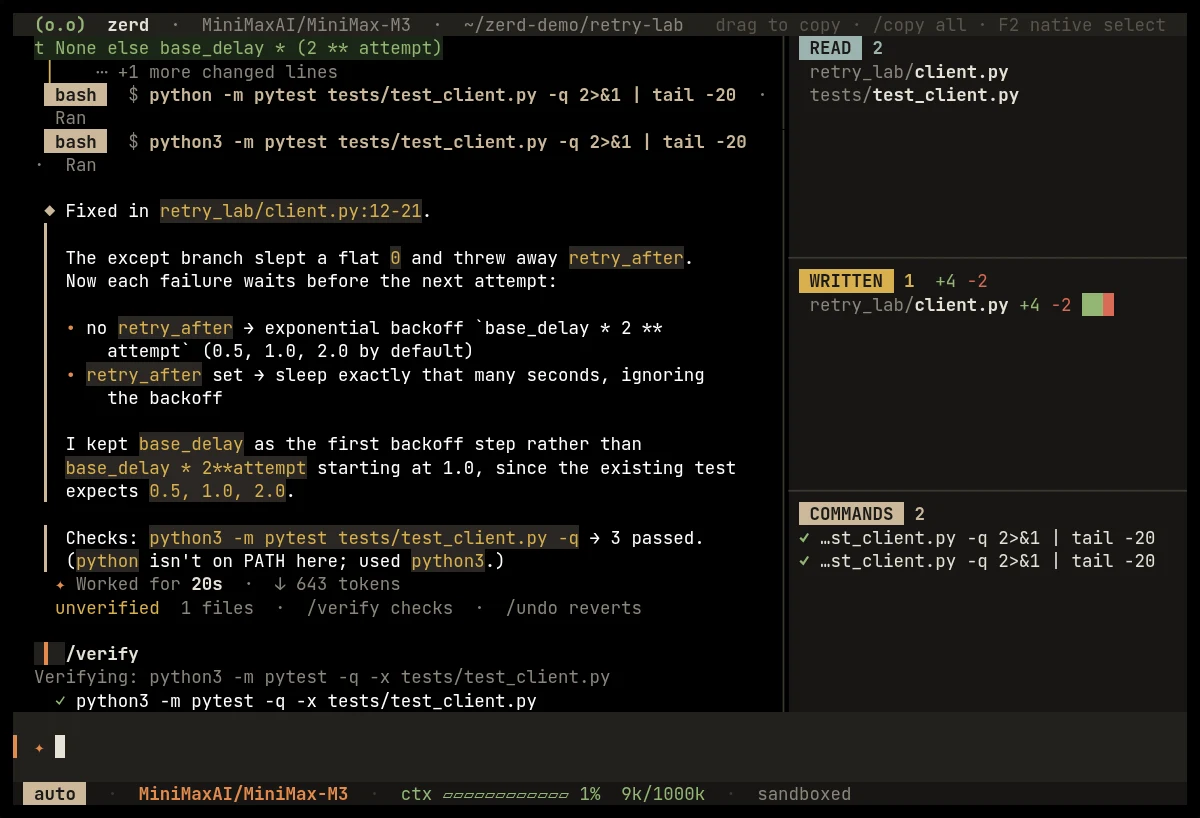
One command runs the checks on the files the last request changed.
zerd picks the checks for the files it changed. Here that is pytest on tests/test_client.py, and a ✓ shows when it passes. If something had broken, it would send the model back to repair it.
Hover or tap the dots on the screenshot.
The demo is a small change. On bigger ones zerd also runs these. Pick one.
Simple rules choose a fast, default or strong model for your request. There is no extra model call for this, and zerd prints which one it chose and why, so you know what you are paying for.
Routing to the strong model (read by the fast model): claude-opus-5-5A failing test doesn’t always mean the model broke something. It may have been failing before the run. zerd finds out by experiment, so it never sends the model to fix what it didn’t break.
What happens on the clean copy? Pick one:
Choose a result to see what zerd does next.
Ask zerd to “review my changes”, “review my last 3 commits” or “review PR #42”. It reviews in stages instead of with one prompt, and you only see the findings that survived. Step through them.
A cheap first pass picks what could realistically break.
The write-up also lists what was not checked, so you know where to look yourself.
Every run ends in exactly one of these. zerd never claims more than it checked, and everything it does is written to a trace file you can read later.
verifiedFiles changed and the checks passed.
For example: You ask for a fix and the tests for the changed files pass.
These limits are enforced in code, not requested in a prompt. The model can’t talk its way past them. A cloned repo also can’t switch on hooks, MCP servers or verify commands until you trust that exact file.
zerd works out the real location of every path first. Anything that leads outside your workspace is refused, including symlinks.
src/app.pytests/test_app.py../../etc/passwda symlink that points to ~/.sshType /undo and every file goes back to how it was before the run. zerd also learns from corrections: tell it “not like that” or “always use pnpm” and it saves one short rule in your own AGENTS.md, where you can read, edit and commit it.
curl -fsSL https://www.zerd.si/install.sh | shWorks on macOS, Linux and Windows.